An overlay for ICARUS · Unreal Engine 4.27

Every Exotic on the map,
on your screen.

Fenrhir is a native DirectX 11 overlay for Icarus. It reads the game world directly and marks exotic deposits, ore nodes, deep veins and wildlife — with a radar that rotates with your view, up to 10 km away. Then it takes you there.

Windows 10 / 11 · One-line installer · Key delivered instantly

DirectX 11
Native overlay, no launcher
C++20
No .NET, no runtime to install
10 km
Maximum radar range
Every map
Olympus, Styx, Prometheus
Windows 10 / 11
x64, Steam version of Icarus
What it does

Everything it does, in three lists.

No feature list a mile long. Each line exists because prospecting in Icarus actually asks for it.

Prospecting

Find what you came for

  • Exotic deposits, anywhere on the map
  • Sixteen ore types, filter by any of them
  • Deep veins and geysers
  • Mined-out nodes greyed, not hidden
  • Only the resources your map actually has
  • Every map, including ore types it has never seen
  • Rotating radar, 50 m to 10 km
Survival

See it, then reach it

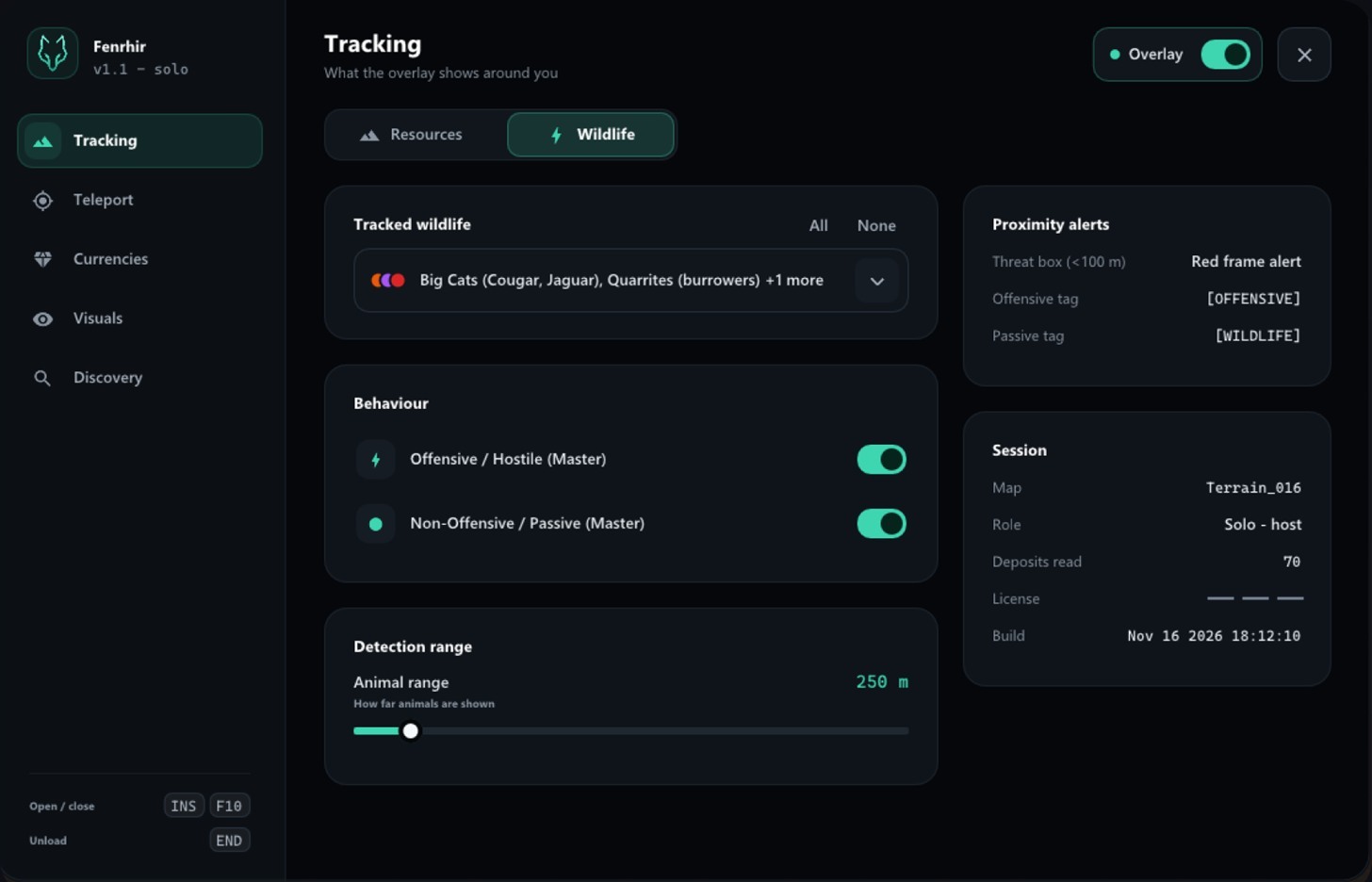
  • Bears, wolves, big cats, cave worms
  • Hostile or passive, tagged and filtered
  • Danger frame under 100 m
  • Jump to any detected target
  • Go straight to your map waypoint
  • Saved spots, kept per map
Profile

Yours to adjust

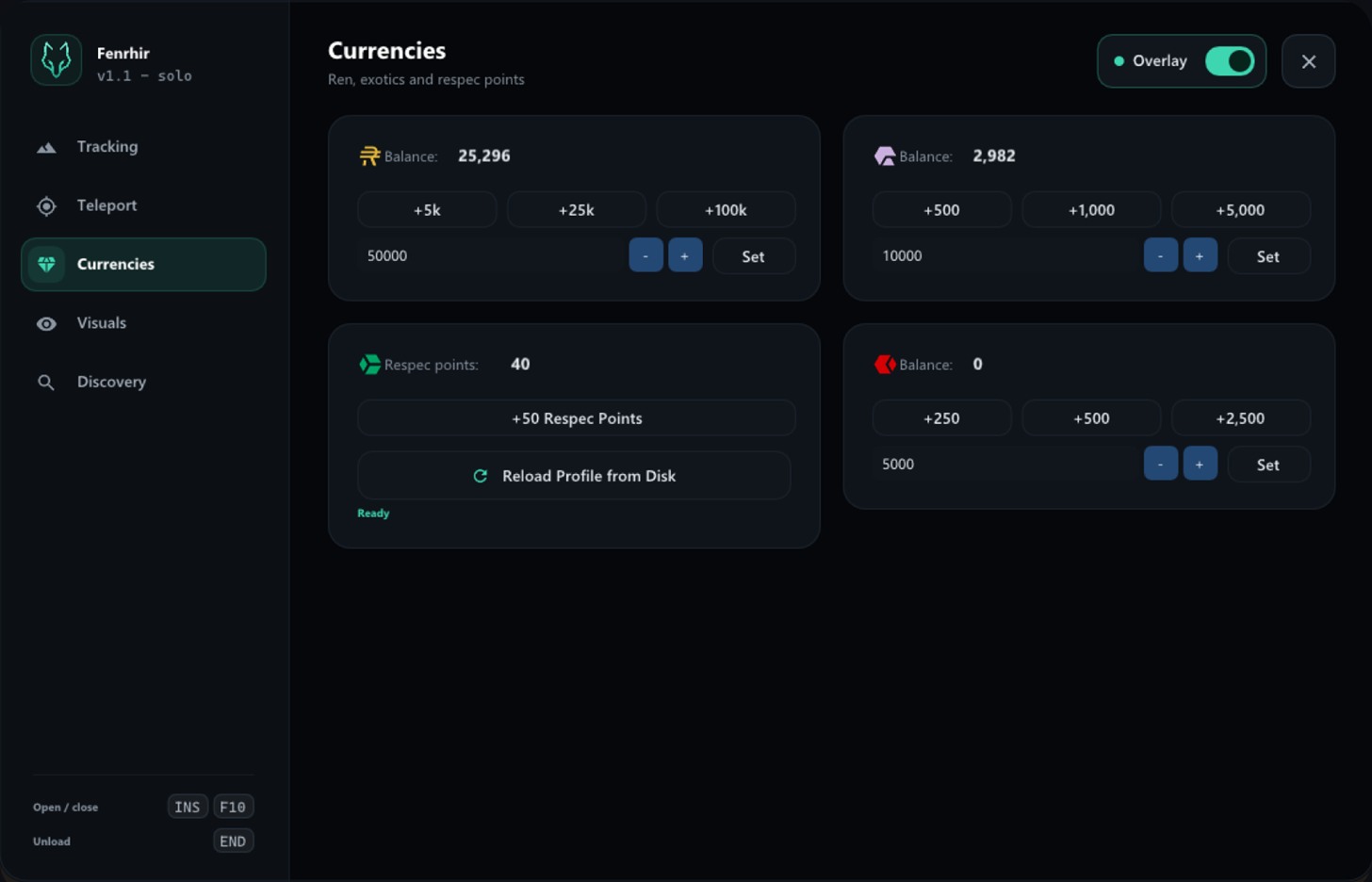
  • Edit your Ren balance
  • Purple and red exotics
  • Add respec points
  • Everything live on INSERT
  • Works offline for seven days
  • END unloads, the game keeps running

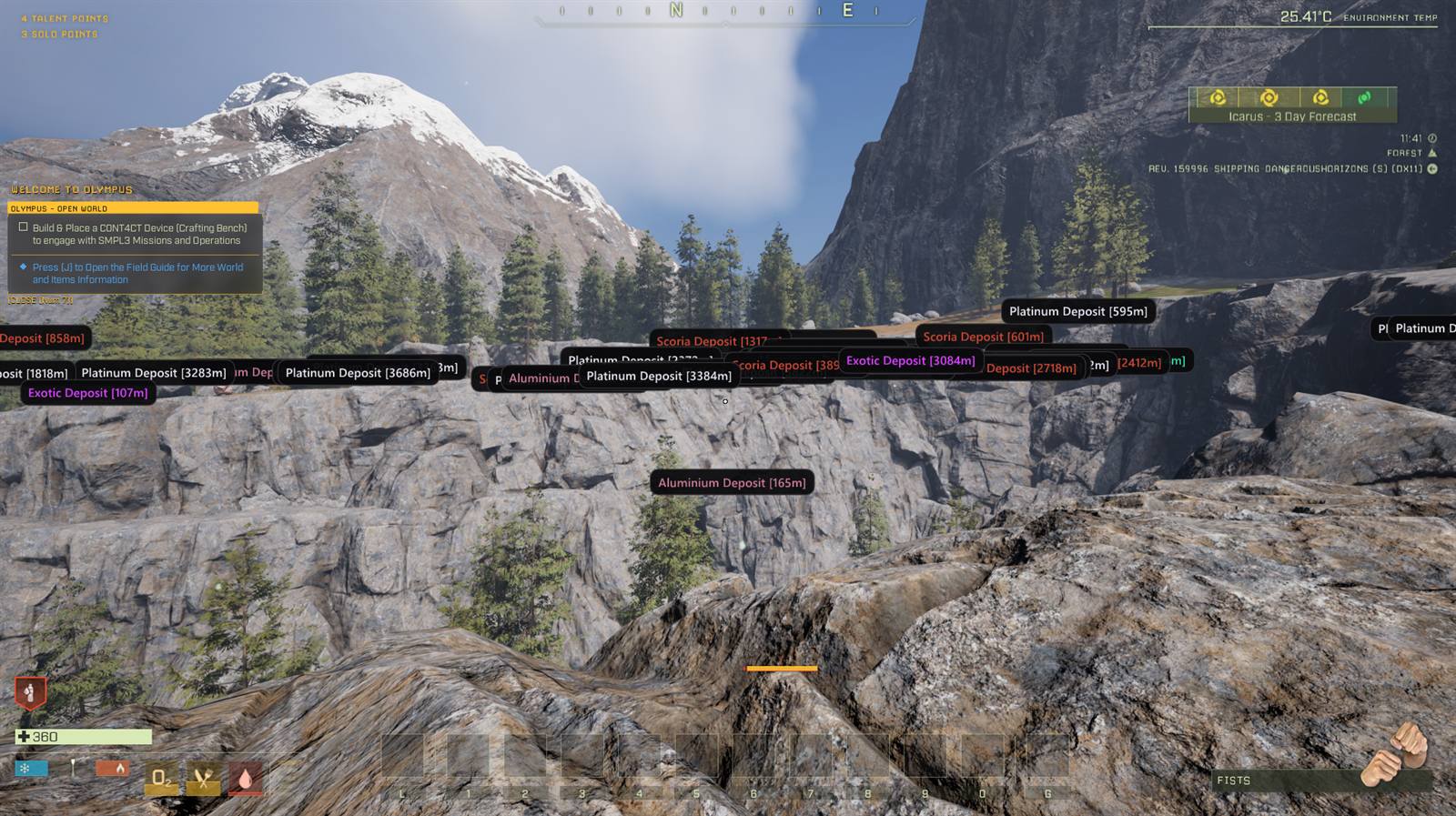
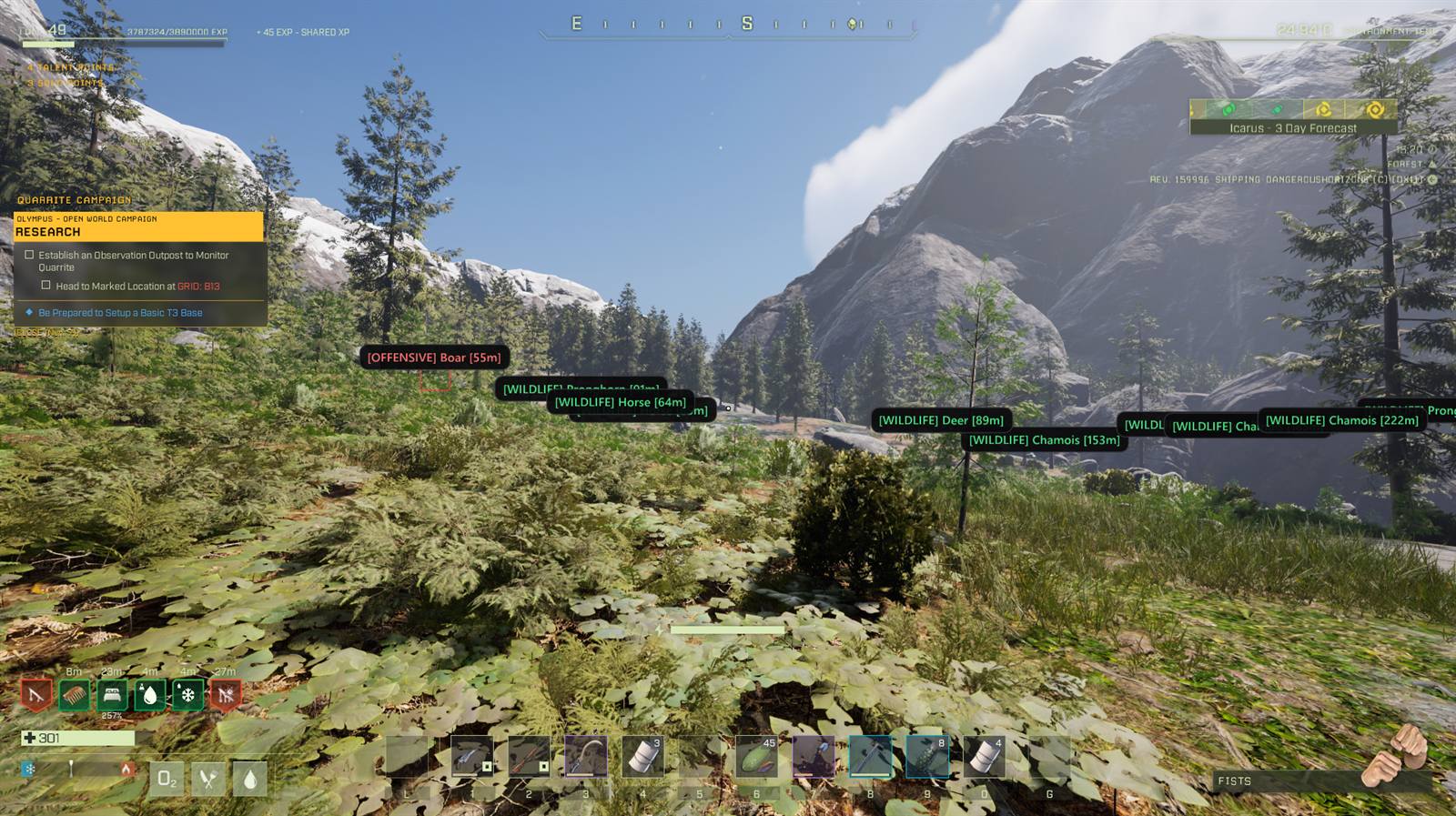
On screen, in a live Olympus run.

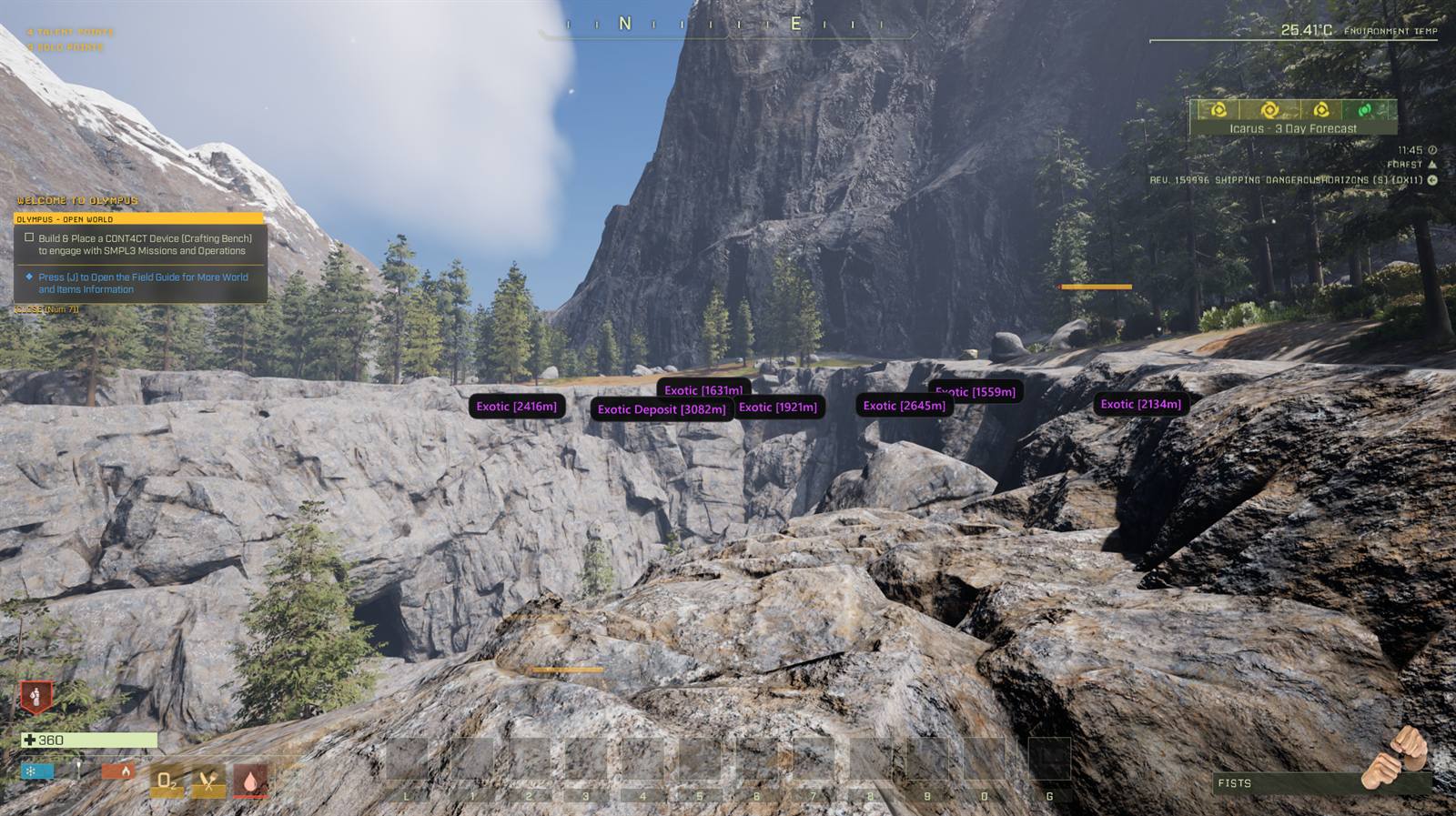
Seven purple Exotic markers along a rock face in Icarus, each with its distance in metres
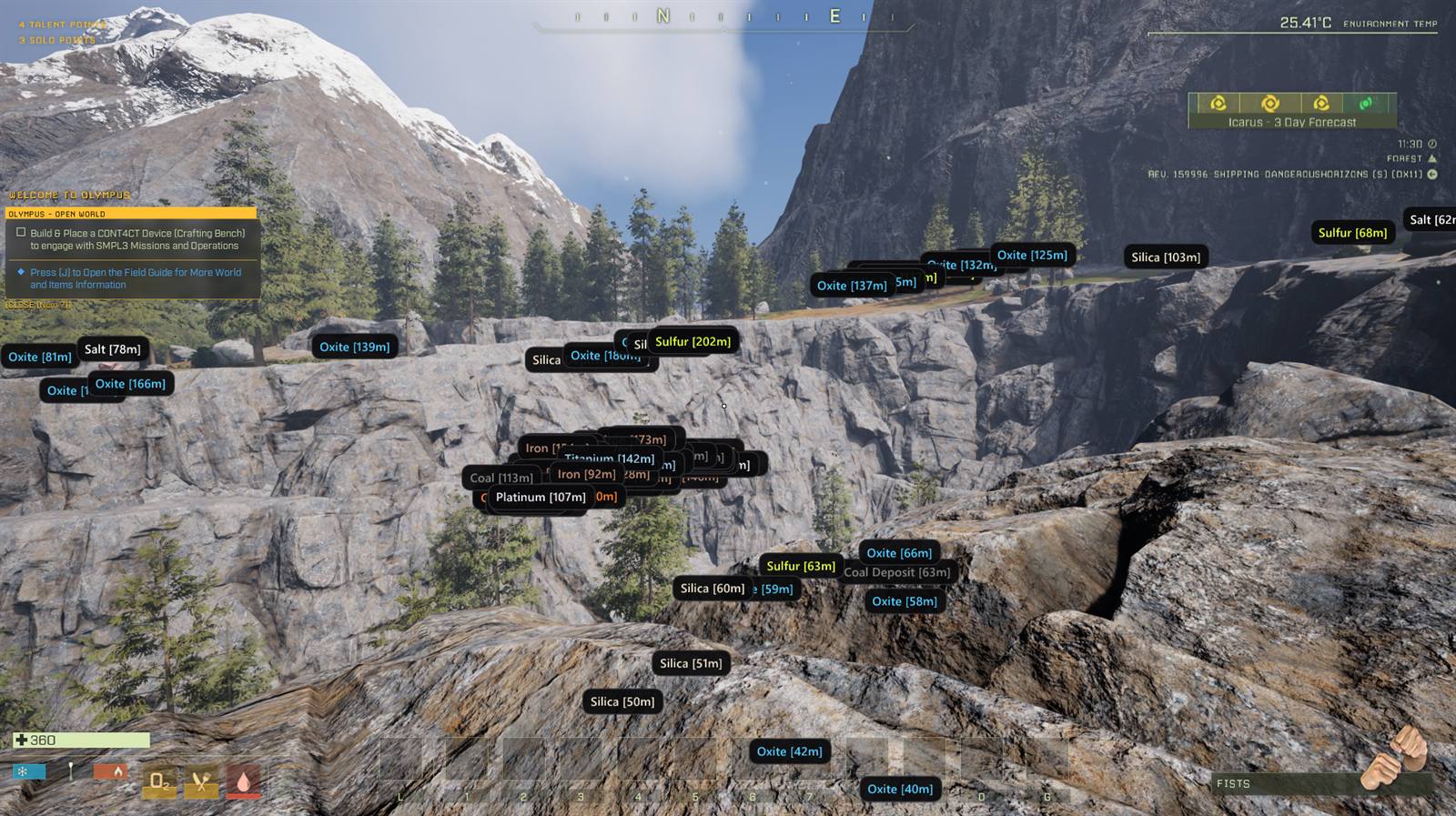
Dozens of ore markers covering a cliff in Icarus, colour-coded by resource type
Deposit markers spread across an Icarus valley, the farthest at 3686 metres
Animal markers in an Icarus meadow, a red OFFENSIVE boar among green WILDLIFE tags

Exotics, and nothing else Six exotic rocks and one deposit, 1.5 to 3.1 km out. Every other type is filtered away.

The interface

Five pages, one keystroke.

This is the panel as it opens in game, at full size. Slide through the five pages.

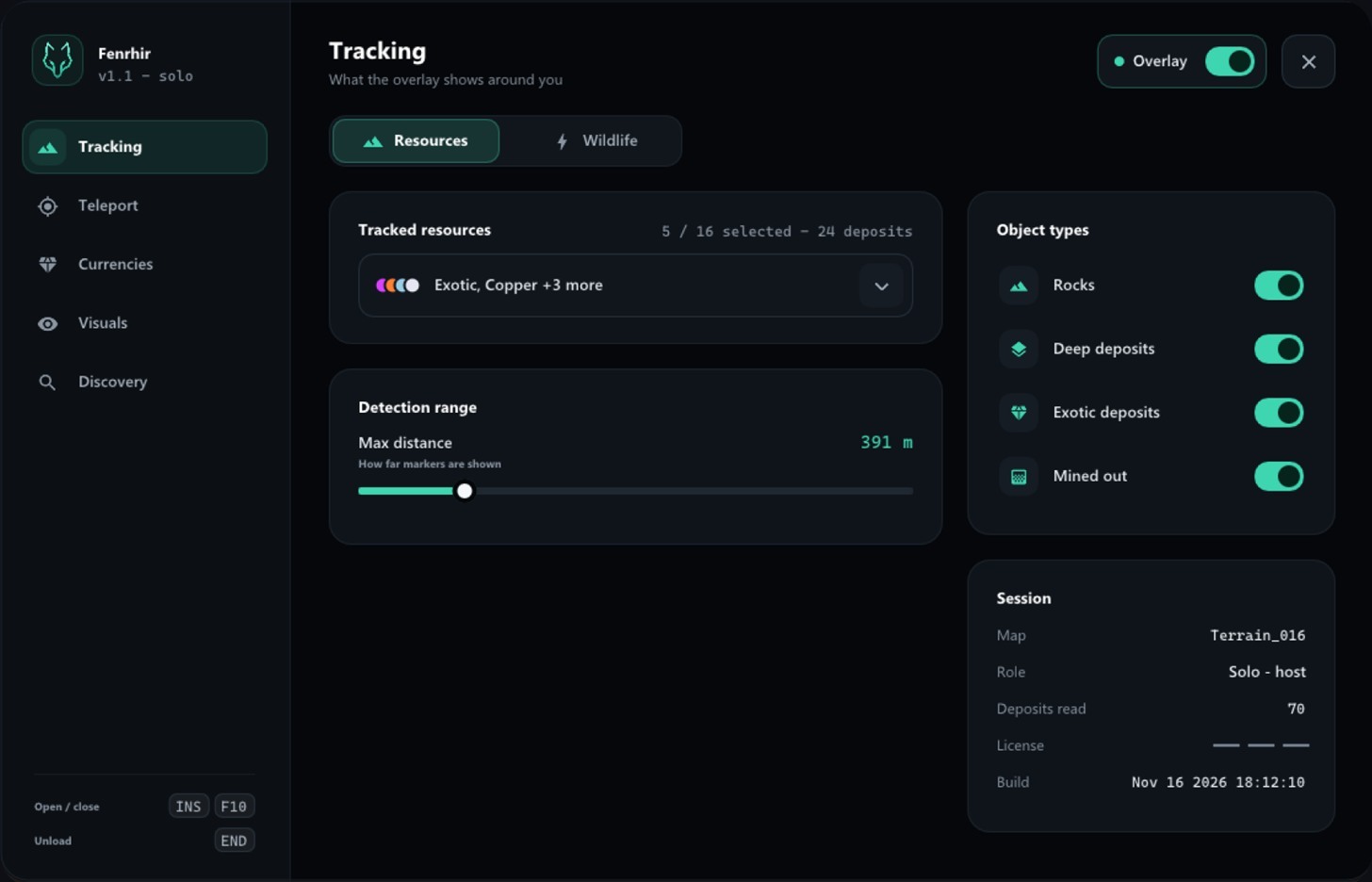
The Fenrhir panel on the Tracking page: a resource selector, the detection range and the object type switches
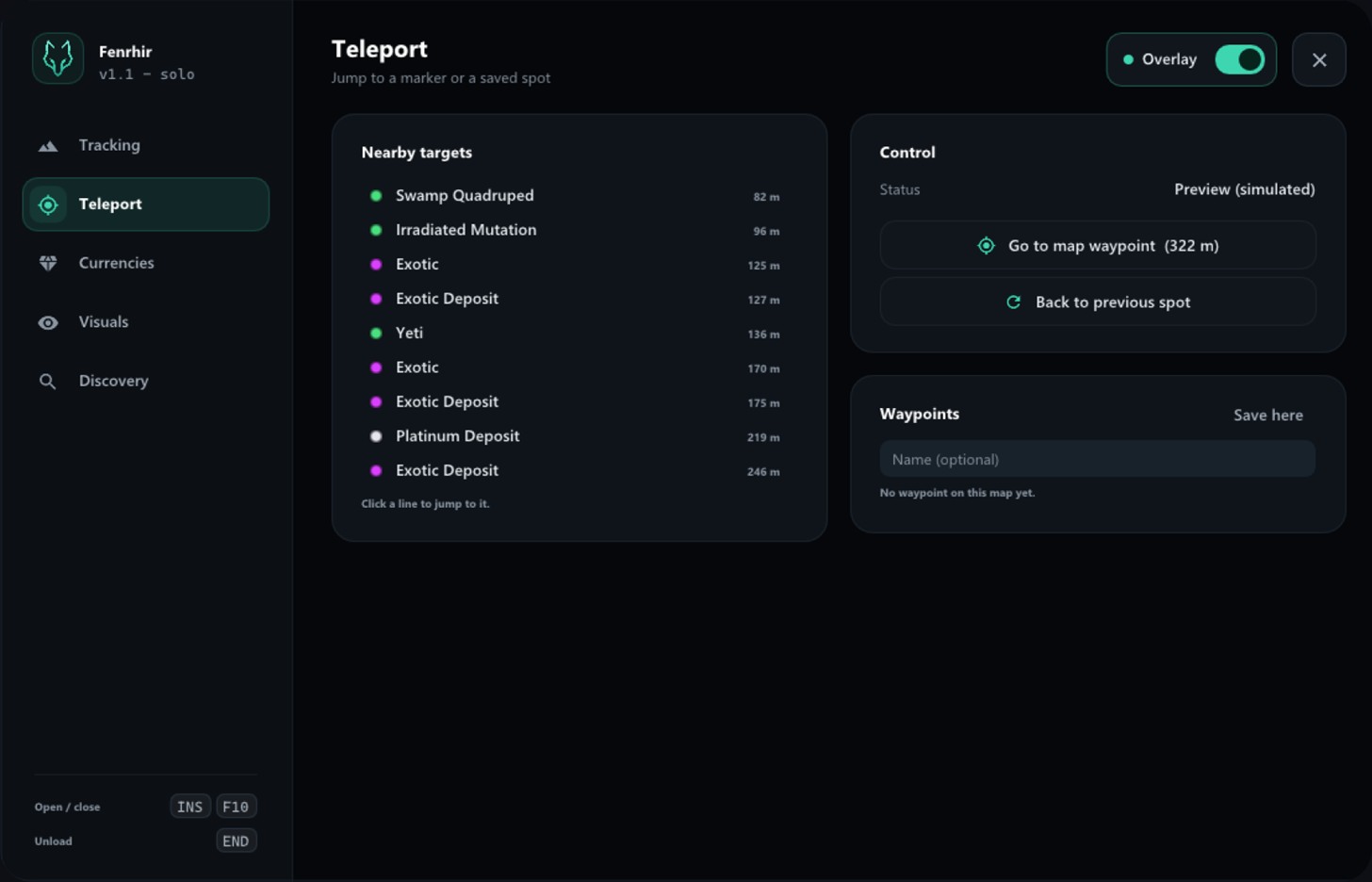
The Teleport page listing nearby deposits with their distance, and a button to jump to the map waypoint
The Currencies page showing Ren credits, purple and red exotics and respec points
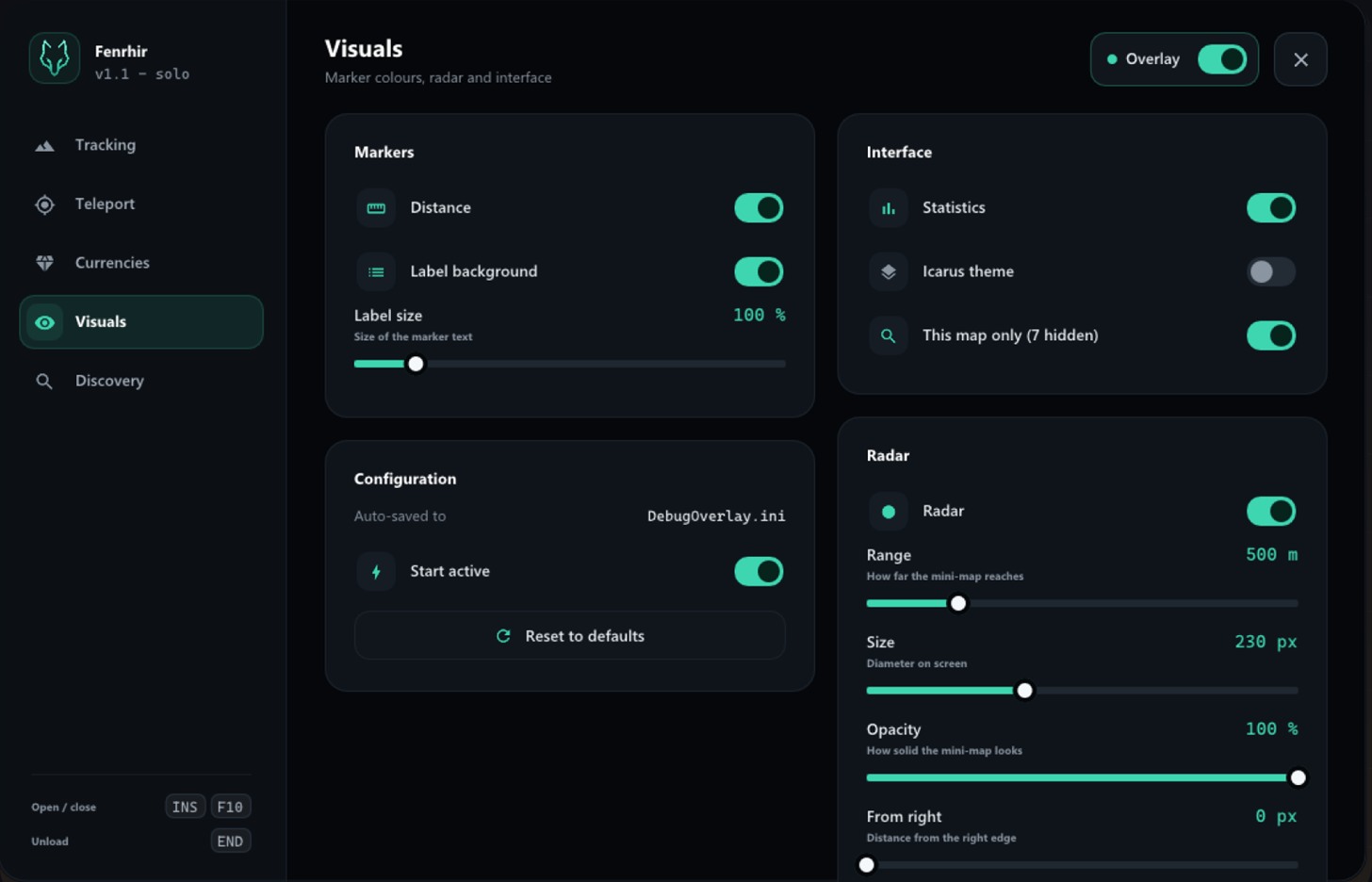
The Visuals page with marker options, interface settings and radar controls
The Wildlife page: animal groups with hostile and passive tags, behaviour switches and proximity alerts

Tracking One list for your ore types, and how far the overlay looks.

INSERT Opens and closes the panel in game. These are the real pages, captured from the build itself.

Setup

Running in about two minutes.

Three steps, and only the first one happens outside the installer.

  1. 01

    Add -dx11 to Icarus

    Steam, right-click Icarus, Properties, Launch options. Type -dx11 and close the window.

  2. 02

    Run the installer

    It finds your Icarus folder on its own, builds the overlay, installs it and asks for your licence key.

  3. 03

    Press INSERT in game

    The menu opens over Icarus. Pick what you want to see and start prospecting. END unloads the overlay without closing the game.

The full walkthrough, with screenshots, is on the installation page.

Pricing

Pay for the time you play.

One key, one PC, activated at install. Payments are handled by Lemon Squeezy.

1 day

One session, no commitment

$7.99 one-time
$7.99 / day
  • Full overlay and 3D radar
  • All 14 resource types
  • Wildlife tracking
  • Key delivered instantly
Get 1 day

7 days

A full week of prospecting

$27.99 one-time
$4.00 / day
  • Everything in 1 day
  • Updates during your access
  • 7-day offline tolerance
  • Email support
Get 7 days
Best value

Lifetime

Pay once, keep it

$150.00 one-time
No renewal, ever
  • Everything in 30 days
  • All future major versions
  • Move it to a new PC
  • Priority support
Get Lifetime

Secure payment and invoicing by Lemon Squeezy, merchant of record. Refund terms are in the terms of sale.

FAQ

Questions people actually ask.

Does it work in co-op?

Yes, in solo, in offline play and in co-op sessions. Deposits are read locally on your own machine, so nothing is sent to the other players or to a server.

Is there any risk for my account?

Everything that finds deposits and wildlife is read-only: the overlay looks at the game's memory and draws on top, nothing more. Two features do write, and only when you ask for them: teleport moves your character, and the profile tools edit your local save file. Both act on your own machine and are never sent to anyone. That said, no third-party tool can be guaranteed risk-free: RocketWerkz has the last word on its own game, so use it at your own discretion, and preferably in solo or in sessions you host yourself.

Does it work on every map?

Yes. The overlay does not carry a list of maps or of resources: it reads what the world actually contains, and a type it has never met gets its own marker, named after the game's own entry for it. So Olympus, Styx, Prometheus, outposts and any map a future update adds all work, and your tracked types are remembered per map. It was developed and tested on Olympus; on the others the colours of a brand-new resource are picked automatically rather than hand-tuned.

Which version of Icarus is supported?

The current Steam build on Windows x64 (Unreal Engine 4.27). Game updates can move things around in memory; when that happens a new build is published on the changelog page and is included in your access.

What do I need installed?

Windows 10 or 11 in 64-bit, Icarus from Steam, and the launch option -dx11. The installer takes care of everything else.

Can I move my licence to another PC?

Yes. Run the uninstaller on the old machine: it releases the activation, and you can then activate the same key on the new one.

Ready to stop walking past Exotics?

Pick an access length, install in two minutes, press INSERT.

Get Fenrhir — from $7.99